
Ledger Atom Explained: The Phone-Style Crypto Wallet and How It Differs from Every Other Ledger

This content includes affiliate links for Ledger products. If you purchase through these links, we earn a commission at no extra cost to you. This is not financial advice. Cryptocurrency assets carry high risks, including the risk of losing your entire investment. Please do your own research and make decisions based on your personal risk tolerance.
A few years ago, I wrote my crypto recovery phrase on a sticky note. Twenty-four words in my worst handwriting, tucked inside a notebook I never opened. Months later, I was clearing my desk before moving flats, and I nearly threw that notebook into the rubbish bag with everything else. I caught it by pure luck. I remember standing there, heart pounding, holding a bin bag and my entire savings at the same time.
That was the week I bought my first hardware wallet.
If you've never used one, the idea is simple. It's a small gadget that keeps your crypto keys offline, away from hackers, and it only signs a transaction when you physically press a button. It's boring on purpose. Boring is what you want when money is involved.
So when Ledger announced a hardware wallet shaped like a smartphone that can run TikTok, my first reaction was: wait, what?
So, what exactly is Ledger Atom?
Ledger Atom was announced on October 15, 2026. It looks and feels like a phone, and it runs a full Android system. That means you can install everyday apps like WhatsApp or Instagram on it. But underneath, it's still a Ledger, built to protect your crypto.
Here's the practical stuff. Atom is open for pre-order at €849, with shipping planned for summer 2027. The Founders Edition reservation asks for a $100 deposit, which Ledger says is fully refundable. Ledger has also been upfront that the device is still in development, so pricing and details could change before launch.
Think of it as a reservation, not a finished product in your hand.
Ledger Atom Explained: How is Atom different from other Ledger devices?
Every Ledger you can buy today does one job: it holds your keys and signs transactions. It doesn't browse the web, it doesn't message anyone, and it doesn't run apps. That narrow focus is exactly why they're trusted.
Atom breaks that pattern. Here's what's new.
It runs real apps. Your crypto and your daily apps live on the same device. No more juggling a hardware wallet, a phone and a laptop just to swap a token.
It has a "Secure Mode." This is the clever bit. When you need to approve a transaction, a hardware switch controlled only by Ledger's own system takes over the screen and the touch panel. Even if something nasty sneaks into the Android side, it can't fake an approval screen or tap "confirm" for you.
Ledger Wallet runs right on it. You can buy, sell, swap and earn yield without connecting to a second phone or computer.
It handles more than crypto. Atom can do encrypted messaging, where messages are only readable inside Ledger's protected system on the other person's Atom. It also stores passkeys in its secure chip and supports identity checks through partners like Persona. Ledger has teamed up with Solana Mobile too, bringing the Seeker app and its app store to Atom.
It has a privacy switch. A physical switch cuts the camera and microphone. No software trickery, just a switch.
It's built for the AI age. Ledger's tagline says it all: agents propose, you approve, your Ledger enforces. In plain English, if an AI tool wants to move your money, you still have to say yes on the protected screen.
It tries to spot tampering. Atom comes with protection meant to detect someone messing with its secure parts, and Ledger says it will sell Atom only through its own website at first.
Why now? The reseller attack
The timing isn't random. Around the same time, Ledger shared details about a nasty attack. Criminals tampered with genuine Ledger devices sold through a reseller. Hidden hardware copied recovery phrases during setup, and estimated losses ran from roughly $90 million to over $100 million.
Ledger says its own hardware, software and servers weren't hacked. The problem happened in the supply chain, between the factory and the customer. It has asked authorized resellers to pause sales in Southeast Asia and Hong Kong.
If you live in Singapore like I do, take this one seriously. Buy only from Ledger's official website for now. A discount from a random seller isn't worth risking your savings.
Is a phone-style wallet actually safer?
Here's my honest take. A full Android phone has far more places for things to go wrong than a simple signer with no apps. That's the trade-off. Ledger's design tries to wall off the risky part from the part that approves money, but those security claims are Ledger's own for now.
I'd wait for independent security researchers to poke at Atom after launch before moving serious money onto it. New tech deserves a little patience, even when the idea is exciting.
The full Ledger lineup: which one fits you?
Atom isn't replacing anything. It joins a family of wallets, and the best one depends on how you live with your crypto. Prices change, so check Ledger's official site for the current numbers.
Ledger Atom: for people who want everything in one place
If you're tired of switching between devices and you're comfortable being an early adopter, Atom is the ambitious one. It's the only Ledger that doubles as a phone, with apps, messaging and AI approvals built in. Pre-orders are open now, but expect to wait until summer 2027.
Ledger Stax: for people who want the premium feel
Stax is Ledger's showpiece. It has a large, curved touchscreen that's easy on the eyes, and it feels more like a modern gadget than a USB stick. If you plan to hold crypto or NFTs for years and want something you'll enjoy using, this is the luxury pick.

Ledger Flex: for people who want a touchscreen without the splurge
Flex gives you a touchscreen that's simple to read and tap, in a more affordable and sturdy package than Stax. It's a lovely middle ground if you want comfort without paying for premium.

Ledger Nano Gen5: for people who want the newest Nano
The Nano Gen5 is the latest in Ledger's classic pocket-size line, with wireless connection and a more modern design. If you like the small, no-fuss style but want something current, start here.

Ledger Nano X: for people who are always on the move
The Nano X connects by Bluetooth, so you can manage your crypto from your phone without plugging anything in. It's a trusted favorite for people who check their wallet on the train or at a café.
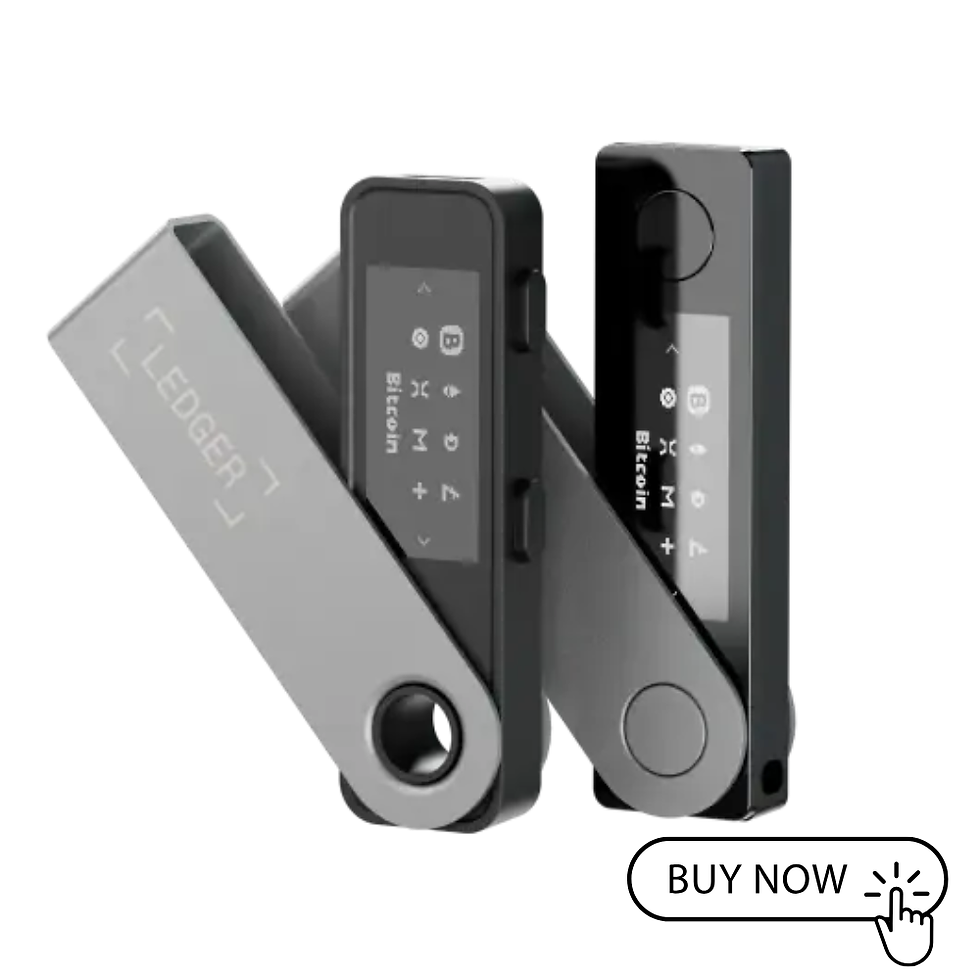
Ledger Nano S Plus: for people who are just starting out
This is the budget-friendly entry point. It connects by cable, does the essentials very well, and has protected plenty of first-time buyers. It's what I'd suggest to a friend who just wants to stop keeping keys on a sticky note.
So which should you pick?
Here's my quick cheat sheet:
Just starting out and on a budget: Nano S Plus
Want to manage things from your phone: Nano X or Nano Gen5
Want a big, easy touchscreen: Flex
Want the premium experience: Stax
Want one device for crypto and daily apps, and happy to wait: Atom
And whichever you choose, the golden rules stay the same. Buy directly from Ledger. Write your recovery phrase only on the card that comes in the box, and never type it into a computer, a phone or a website. Ledger will never ask you for it.
Final thoughts
Looking back, I'm slightly embarrassed by that sticky note. But it taught me something important: the best security is the kind you'll actually use. Atom is Ledger's bet that people will protect their crypto better if it fits into their everyday life, instead of sitting in a drawer.
It's an interesting bet, and I'm curious to see how the first independent reviews turn out. Until then, the wallets Ledger already sells are proven, and any of them is a huge step up from a scrap of paper in a notebook.
Ledger Atom Explained: Have you already pre-ordered an Atom, or are you sticking with a classic? Tell me in the comments.


Comments