
Best Cold Wallets: A Step-by-Step Guide to Keeping Your Crypto Safe

Updated: May 8
This content includes affiliate links for Ledger products. If you purchase through these links, we earn a commission at no extra cost to you. This is not financial advice. Cryptocurrency assets carry high risks, including the risk of losing your entire investment. Please do your own research and make decisions based on your personal risk tolerance.
Cold wallets are not just gadgets, they are your last line of defense. Exchanges get hacked, phones get infected, browser wallets get tricked, and once your private keys are gone, there is no reset button. That is why we present the best cold wallets to you.
In this step-by-step tutorial, you will learn what a cold wallet actually does, how to choose a good one, how to set it up safely, and how to use it without falling into common traps. We will also walk through why Ledger signers often rank among the best cold wallets for everyday crypto users.
Best Cold Wallets: A Step-by-Step Guide
Step 1: Understand What the Best Cold Wallets Really Do
Your crypto does not live inside the device. It lives on the blockchain.
What the best cold wallets actually store are your private keys. Those keys are what let you move Bitcoin, Ethereum, stablecoins, or NFTs. If someone else gets those keys, they can move your assets.
A cold wallet:
Generates your private keys offline
Keeps those keys isolated inside a secure chip
Signs transactions inside the device
Sends only the signed transaction back to your phone or computer
At no point should your private key leave the device. That is the core idea behind Best Cold Wallets: A Step-by-Step Guide.
Step 2: Decide What You Need to Protect
Before you pick any device, get clear about your use case. The best cold wallets for you depend on what you actually do in crypto. Ask yourself:
Do I mostly hold Bitcoin and a few big coins
Do I use DeFi and sign smart contracts often
Do I collect NFTs or just hold tokens
Do I need mobile access on the go
Is this a long-term vault or a daily signer
If you only hold Bitcoin and you rarely move it, you might prefer a simple and affordable cold wallet that lives in a safe.
If you are active in DeFi and NFTs, you will want one of the best cold wallets with a clearer screen and smooth app support so you can double-check every transaction.
Step 3: Key Features That All the Best Cold Wallets Should Have
No matter which brand or model you choose, the best cold wallets share a few must-have features. Do not compromise on these.
Offline key storage
Your private keys should never touch your phone, laptop, or the internet.
Secure element chip
Look for a device that uses a dedicated secure element, the same kind of chip used in passports and payment cards. Bank-grade encryption makes it much harder for attackers to extract secrets from the hardware.
On device confirmation
You must confirm every transaction on the device screen, not only on your computer. This is how you avoid fake approvals and phishing traps.
Recovery phrase generated on the device
The wallet should show your recovery phrase on its own screen. No printed card, no pre-written words, no website that gives it to you. You write it down, offline.
Regular firmware updates
The best cold wallets receive security updates over time. Attack methods change, so devices must evolve too.
If a product fails any of these checks, it should not be in your shortlist.
Step 4: Why Ledger Signers Are Among the Best Cold Wallets
When people talk about the best cold wallets, Ledger almost always pops up in the conversation. Ledger now calls its devices signers, to focus on what they really do, they securely sign your transactions while keeping your keys offline.
Here is why many users choose Ledger as their main cold wallet brand:
Offline keys and secure element
Your private keys live inside a certified secure element and never leave the device.
On device clear signing
You confirm transactions on the device screen, which helps block phishing and fake approvals.
Strong ecosystem support
Ledger works with Bitcoin, Ethereum, stablecoins, NFTs, and thousands of tokens. It also connects to popular tools like MetaMask and WalletConnect.
Security research team
Ledger has an internal security team (Ledger Donjon) that tries to break their own products and fix issues before attackers can use them.
Here is how the main Ledger models fit into a simple beginner friendly view of the best cold wallets:
Ledger Nano S Plus
Great budget-friendly vault for long-term holding. Simple, secure, and ideal if you mostly store rather than trade.

Ledger Nano X
Adds Bluetooth for mobile use. Good if you want to sign transactions from your phone while keeping keys offline.
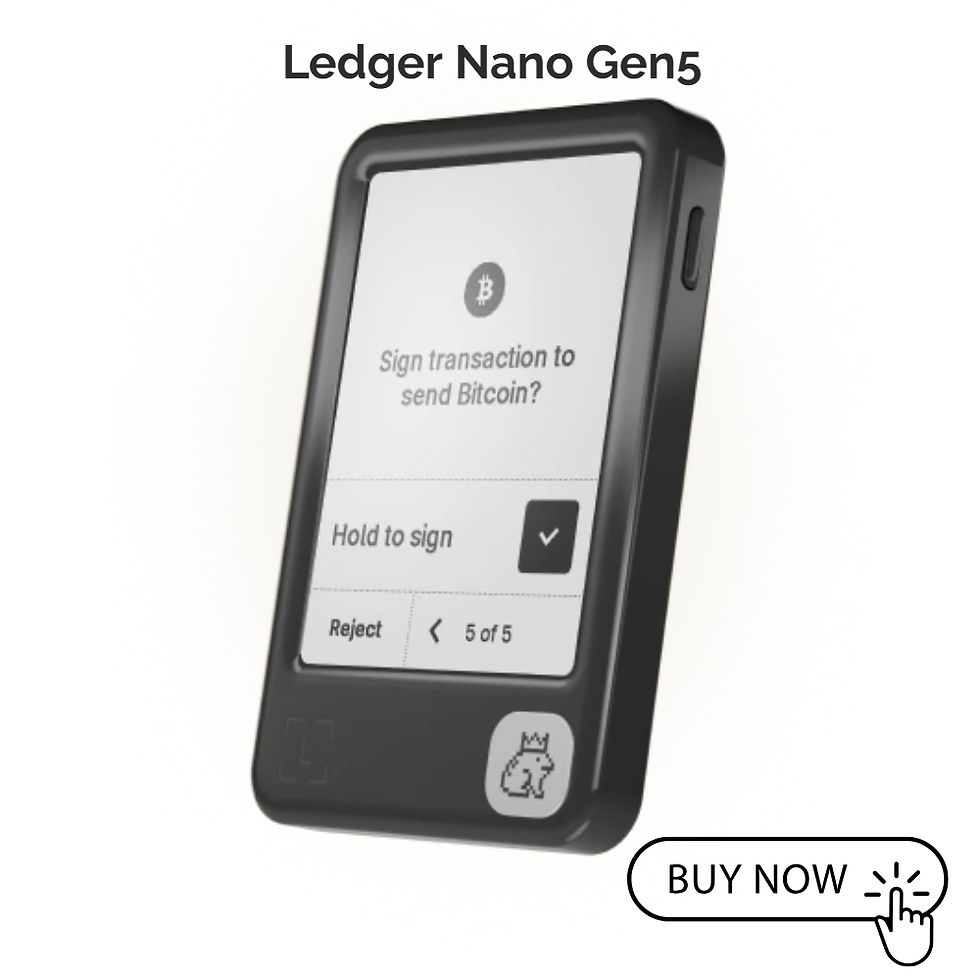
Ledger Nano Gen5
A more modern option that balances a smoother user experience with strong security. Good for users who want a compact signer that feels up to date.
Ledger Flex
Touchscreen cold wallet that makes reading and confirming transactions easier, especially if you use DeFi or NFTs.

Ledger Stax
Premium signer with a larger E Ink display that is very comfortable for frequent signing and for people who want maximum clarity.

All of these follow the same core rule, keys stay offline, you confirm everything on the device, and you can restore access with your recovery phrase if the device is lost.
Step 5: Set Up Your Cold Wallet Safely
Once you have chosen from the best cold wallets list, the way you set it up is just as important as the device itself.
Follow this safe setup flow:
Unbox and inspect
Make sure the packaging looks clean and unopened. If seals look broken or odd, stop and contact support.
Initialize as new
Select the option to create a new wallet on the device. Never use a wallet that comes pre- configured.
Generate your recovery phrase
The device will show a list of words on its screen. Write them down on paper or a metal backup. Do not take photos or store them in cloud storage.
Confirm the phrase
Most of the best cold wallets will ask you to re enter or confirm the phrase to make sure you wrote it correctly.
Connect to the official app
Install the companion app using the link from the manufacturer site, not from random ads or messages.
Update firmware if needed
Apply official updates so you start with the latest security fixes.
Take your time here. Rushing is how people make mistakes.
Step 6: Make Backup and Recovery Part of Your Plan
A cold wallet is only as strong as its backup. If you lose the device and you do not have the recovery phrase, your crypto is gone.
Follow these backup tips:
Store the recovery phrase in a safe, offline location
Consider a metal backup to resist fire or water
Never share the phrase with anyone, no support agent, no friend, no website
Never type the phrase into a phone or computer
If you can, test recovery with a spare device later so you know the process works
The best cold wallets make recovery simple if you protect the phrase. That phrase is the real key, not the physical gadget.
Step 7: Use Your Cold Wallet in Daily Life Without Breaking Security
Once your wallet is set up, you can start using it as your main signer. To stay safe:
Use your cold wallet as a vault for larger balances
Use a hot wallet for small everyday transactions
Use a burner wallet for testing new DeFi apps or NFT mints
Whenever you send crypto or interact with DeFi:
Double-check the address on the device screen, not only on your laptop
Check the amount and the token carefully
If something looks odd, cancel and investigate
This routine makes it much harder for scams to succeed, even if you accidentally visit a fake website.
Step 8: Keep Your Cold Wallet and Habits Up to Date
Security is not a one time effort. It is an ongoing habit.
To keep your setup strong:
Install firmware updates from official sources when they are released
Review your recovery phrase storage once in a while
Rotate hot wallets if you use many dApps
Keep learning about new scams and tricks so you do not get caught off guard
The best cold wallets give you the tools, but you provide the discipline. Combined, they make a powerful shield around your crypto.
Finding the best cold wallets is not about chasing the fanciest gadget. It is about picking a device that keeps your keys offline, gives you clear control over every transaction, and fits how you actually use crypto. Brands like Ledger earn their place on that list because they focus on security, clear signing, and long-term support rather than just shiny features.
Choose a solid device, set it up slowly, guard your recovery phrase, and always confirm what you are signing. Do that, and your cold wallet becomes more than a piece of hardware, it becomes your personal safe for the digital world.


Comments