
Fake Ledger App Scam: How $9.5 Million Was Stolen, and How You Can Protect Your Crypto

Updated: May 8
This content includes affiliate links for Ledger products. If you purchase through these links, we earn a commission at no extra cost to you. This is not financial advice. Cryptocurrency assets carry high risks, including the risk of losing your entire investment. Please do your own research and make decisions based on your personal risk tolerance.
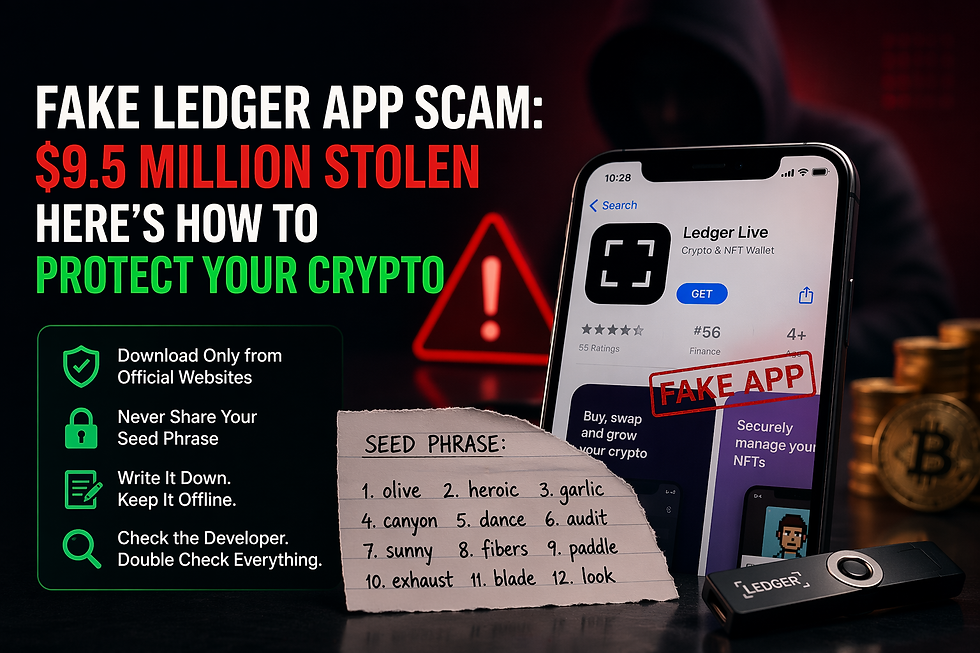
No complicated hacking. No breakthrough exploit. Just a simple trick that worked far too well.
Fake Ledger App Scam: How $9.5 Million Was Stolen, and How You Can Protect Your Crypto: What happened
A malicious app pretending to be Ledger Wallet appeared on the Apple App Store. It looked real. Same branding, similar interface, familiar flow.
People downloaded it thinking it was safe. After all, it was on Apple’s platform. Once installed, the app guided users through a setup process. Nothing seemed unusual at first. Then came the key moment.
The app asked users to enter their recovery phrase, also known as a seed phrase.
Some users complied.
Within minutes, their wallets were drained. In total, around $9.5 million was stolen.
Why this scam worked so well
At first glance, it feels like an obvious trap. But in reality, it hit three very human instincts.
1. Trust in big platforms
Most people assume that apps on Apple’s store are safe. That assumption lowered their guard.
The scam didn’t need to break security systems. It just needed to sit quietly inside a trusted environment.
2. Familiar design
The fake app looked almost identical to the real thing. Same colors. Same layout. Same flow.
When something feels familiar, we stop questioning it.
3. Confusion around seed phrases
Here’s the uncomfortable truth. Many crypto users still don’t fully understand what a seed phrase actually does.
So when the app said:
“Enter your recovery phrase to restore your wallet”
It sounded reasonable. But that single step handed over complete control.
The one rule that would have stopped everything
If you take nothing else from this article, remember this: Never enter your seed phrase into any app or website. Ever. Not during setup. Not during updates. Not when prompted.
The only time you should use it is:
When recovering your wallet on a trusted, official device
And even then, only when you are absolutely sure what you’re doing
That phrase is not a password. It is ownership. Whoever has it controls your funds.
What is a seed phrase, really?
Think of your seed phrase as the master key to your entire crypto wallet. It doesn’t just unlock access. It is the wallet.
You don’t need your phone. You don’t need your hardware wallet.
With that phrase alone, anyone can:
Restore your wallet
Access your funds
Transfer everything out
No approvals needed. No alerts that can stop it. That’s why scammers want it so badly.
Why hardware wallets didn’t save victims
Some of the victims were using hardware wallets like Ledger Nano X or Ledger Stax. So what went wrong? Hardware wallets are designed to keep your private keys offline. They protect you from malware and hacks.
But they cannot protect you from yourself.
If you willingly type your seed phrase into a fake app, the hardware wallet becomes irrelevant. It’s like locking your house, then handing the keys to a stranger.
How to protect yourself, step by step
Let’s keep this practical. No theory. Just clear habits you can follow.
1. Always download from the official website first
Never search for wallet apps directly in the app store.
Instead:
Go to the official Ledger website
Use their link to download the app
This simple step filters out most fake apps.
2. Never type your seed phrase into your phone or computer
This is the biggest one.
Your seed phrase should stay:
Offline
Written on paper or metal
Stored somewhere safe
If an app asks for it, treat it as a scam immediately.
3. Learn how your wallet is supposed to behave
With real Ledger usage:
You connect your device
You approve transactions physically on the device
You never need to expose your seed phrase again
If something feels different, stop.
4. Double check the developer
Before downloading any app:
Look at the developer name
Check the official website
Compare logos and descriptions
Fake apps often look perfect at first glance, but small details give them away.
5. Avoid rushing through setup
Most scams work because people move too fast. You’re excited. You just bought a wallet. You want to get started. That’s when mistakes happen. Slow down. Read carefully. Question anything unusual.
6. Understand common scam language
Scammers often use phrases like:
“Restore your wallet”
“Sync your account”
“Verify your recovery phrase”
These sound harmless. But in most cases, they’re traps designed to get your seed phrase.
A simple safety checklist
Before you do anything with your crypto wallet, pause and ask:
Did I download this from the official site?
Is anyone asking for my seed phrase?
Does this step make sense based on how wallets work?
Am I rushing through this?
If something feels even slightly off, stop immediately.
The bigger lesson from this scam
This incident wasn’t really about Apple. Or Ledger. Or even the fake app. It was about how easy it is to manipulate trust.
People trusted:
The App Store
The design
The process
But crypto doesn’t work on trust. It works on control. And control comes down to one thing.
Your seed phrase.
Why this will happen again
Scams like this don’t disappear. They evolve.
Next time, it might not be an app. It could be:
A fake website
A phishing email
A browser extension
Even an AI chatbot pretending to help you
The method changes. The goal stays the same. Rob your seed phrase.
Fake Ledger app scam: How $9.5 million was stolen, and how you can protect your crypto: A recap. Crypto gives you full ownership. That’s the beauty of it. But it also gives you full responsibility. There’s no bank to reverse transactions. No support line that can recover stolen funds.
Once it’s gone, it’s gone.
That might sound harsh, but it also makes things simple. Because protecting yourself comes down to one rule: Never share your seed phrase. Follow that, and you avoid 99 percent of scams.
Ignore it, and even the most secure device in the world won’t save you.


Comments